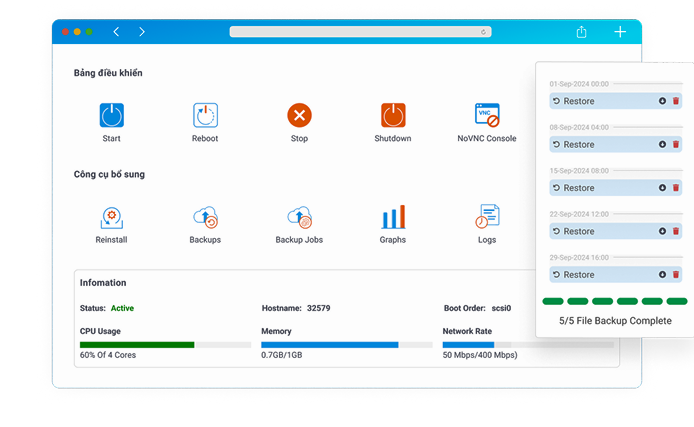









 CPU: 03 vCPU
 RAM: 6GB
 NVMe: 60GB


Cheap VPS hosting gives individuals, developers and businesses a way to run websites, applications, development environments and remote workloads on a virtual server without the cost of renting an entire physical machine. However, the word “cheap” can describe very different products. A USD 3 VPS designed for testing and a higher-priced NVMe VPS designed for production websites may both be marketed as affordable solutions, even though their resources, infrastructure, support policies and expected workloads are completely different.
For this reason, choosing the best cheap VPS should not begin with the monthly price alone. CPU allocation, RAM, storage technology, network capacity, virtualization platform, backup policy, operating system, technical support and data-center location can have a greater impact on real-world performance than a small difference in subscription cost. A VPS that costs slightly more but provides sufficient memory and predictable I/O can ultimately be more economical than an undersized server that constantly requires troubleshooting.
Cloud 360 uses the following framework to explain the budget VPS market in 2026, the differences between Vietnam-based and international VPS services, the compromises commonly associated with low-cost infrastructure, and the minimum specifications buyers should evaluate before ordering a server.
1. Cheap VPS Price Segments: An Overview of the 2026 Market
There is no official global standard that defines exactly how much a Cheap VPS must cost. Pricing varies by country, processor generation, data-center location, IPv4 availability, storage technology, billing period, promotional campaigns and whether services such as backups or management are included. Nevertheless, the market can be divided into several practical price bands that make comparison easier.
As of 2026, very small VPS instances can still be found for only a few US dollars per month, while mainstream entry-level services commonly sit in the mid-single-digit range and above. Annual promotional deals can reduce the effective monthly cost considerably, but buyers should distinguish between permanent product pricing and limited-time offers. Cloud 360 recommends treating the following categories as a comparison framework rather than fixed industry pricing rules.
Ultra-Budget VPS: Approximately $2–$3.50 Per Month
The lowest end of the cheap virtual private server market generally targets lightweight workloads. Plans in this category tend to prioritize price over resource capacity and may provide a small number of virtual CPU cores, limited RAM and relatively modest storage. Exact specifications vary significantly between providers, so the price itself should never be used as a proxy for performance.
An ultra-budget VPS can be suitable for learning Linux administration, deploying a small development environment, running simple scripts, testing APIs or maintaining a private utility server. It may also work for a lightweight static website when the software stack is carefully optimized. However, this class of VPS should be evaluated cautiously for production WordPress installations, databases or applications where unpredictable load could quickly exhaust available memory.
Typical use cases include:
- Linux and server administration labs.
- Small development or staging environments.
- Lightweight scripts and scheduled jobs.
- Personal VPN or proxy environments where permitted by the provider.
- Monitoring nodes and simple internal utilities.
- Small static websites with limited traffic.
The primary advantage is obvious: the entry cost is extremely low. The disadvantage is that there is usually little performance headroom. If an application consumes more memory than expected or experiences a sudden traffic spike, a very small VPS can become CPU-, RAM- or I/O-constrained quickly.
Mainstream Budget VPS: Approximately $4–$7+ Per Month
The mainstream segment is often more practical for buyers looking for a balance between price and usable server resources. Current international pricing demonstrates why this category should be considered a flexible range rather than an exact ceiling. For example, OVHcloud currently lists its entry VPS-1 configuration from around USD 4.54 per month with 2 vCores, 4 GB RAM and 40 GB NVMe storage, while Hetzner’s current 2026 pricing places some entry cloud instances slightly above USD 6 per month depending on architecture and location.
This segment is generally more appropriate for WordPress VPS hosting, small company websites, development servers, low-traffic e-commerce websites and lightweight application backends. Even so, two VPS plans with an almost identical price can perform very differently because the underlying CPU architecture, storage system, virtualization ratio and network allocation may not be equivalent.
When comparing providers such as Hetzner, OVHcloud, Contabo or other international cloud companies, buyers should therefore compare the complete package:
- Number and type of vCPU resources.
- Available RAM.
- NVMe or SSD storage capacity.
- Included traffic and network-port limits.
- IPv4 pricing.
- Backup and snapshot policies.
- Data-center region.
- Operating system support.
- Support model and response channels.
Contabo, for example, currently separates its VPS portfolio into Core VPS and higher-performance VPS products, with different CPU, memory, storage and network allocations. This illustrates an important principle: comparing the words “VPS” or “cheap VPS” alone is not enough because different product families may be optimized for different workloads.
Annual Deal VPS: Approximately $10–$20 Per Year
A separate segment of the low-cost VPS market consists of heavily discounted annual plans promoted through hosting communities and deal platforms. These are sometimes priced at a level that would be difficult to achieve through normal monthly billing. LowEndBox, for example, was listing a USD 14.99-per-year AMD EPYC VPS promotion in September 2026, showing that sub-USD-20 annual deals continue to exist.
These deals can be attractive for hobby projects, secondary DNS servers, monitoring nodes, development labs or workloads where occasional service variation is acceptable. However, buyers should understand that the promotional market is different from purchasing a standard production VPS from a provider with a clearly documented long-term product portfolio. Offers may have limited inventory, specific renewal conditions or resource policies that need to be checked carefully.
Before purchasing an annual promotional VPS, review:
- Whether the advertised price also applies at renewal.
- The age and reputation of the provider.
- CPU fair-use rules.
- Storage type and capacity.
- Bandwidth and transfer limits.
- IPv4 or IPv6 availability.
- Backup responsibilities.
- Refund policies.
- Support channels.
- Data-center location.
For experimental workloads, an annual deal can provide excellent value. For revenue-generating websites or business-critical systems, however, reliability, backup architecture and technical support usually deserve greater weight than the lowest possible annual cost.
Where Does Cloud 360 Fit in the Cheap VPS Market?
Cloud 360 currently provides Cheap VPS services beginning with the Cloud VPS Basic product line. At the time of this article’s update, Cloud VPS Basic 1 is published at 80,000 VND per month and includes 1 vCPU, 1 GB RAM plus an additional 1 GB listed as free, and 20 GB NVMe storage. Cloud VPS Basic 2 is listed with 2 vCPU, 3 GB RAM and 40 GB NVMe, while Cloud VPS Basic 3 provides 3 vCPU, 6 GB RAM and 60 GB NVMe.
Cloud 360 publishes KVM virtualization, OpenStack cloud technology, one static IPv4 address, unlimited traffic and 150 Mbps Clean Traffic for the listed Basic VPS configurations. The service page also states 24/7 technical support and automatic backup features. Because pricing, promotions and service specifications can change, customers should always confirm the latest configuration on the product page before placing an order.
The important point is that cheap VPS hosting should be evaluated as a cost-to-resource equation. A server that fits the workload is more valuable than a cheaper server that spends most of its time operating close to its CPU or RAM limits.
2. The Core Difference: Cheap VPS in Vietnam vs International VPS
Server location is one of the most important technical considerations when choosing a Cheap VPS. Every request between a user and a server must travel across one or more networks. Increasing the physical distance and number of network hops can increase latency, while international connectivity can also be affected by routing conditions outside the hosting provider’s direct control.
For a website whose audience is mainly in Vietnam, infrastructure positioned close to Vietnamese users can provide a network-path advantage. Conversely, if most customers are in Europe or North America, an international server closer to those visitors may deliver better latency. There is therefore no universally superior location: the correct decision depends on where the application’s real users are located.
| Criteria | Cheap VPS for Vietnam-Focused Workloads | International Cheap VPS |
|---|---|---|
| Latency | Generally lower when the server and end users are geographically close and domestic routing is efficient. | Latency can be higher for Vietnamese users when the server is located in Europe or North America. Actual results depend on the route and data center. |
| International Connectivity | Performance depends on the provider’s domestic and international network capacity. | Often attractive for applications serving users close to the selected international data center. |
| Bandwidth | Policies vary significantly by provider and package. | Many international providers advertise large transfer quotas or unmetered traffic on selected plans, but port-speed and fair-use policies still apply. |
| Payment | Vietnamese providers can offer local payment methods and VND billing. | International providers commonly use international cards and other global payment platforms. |
| Technical Support | Vietnamese-language support can simplify troubleshooting for local customers. | Usually provided in English or other supported international languages, with channels varying by company. |
| Best Fit | Vietnam-focused websites, applications and businesses that prioritize local communication and support. | International projects, geographically distributed systems and workloads targeting users near overseas regions. |
Latency Should Follow Your Audience
Latency is particularly important for dynamic websites, APIs, administration panels and database-driven applications. A static image can be cached by a CDN, but actions such as logging in, adding a product to a shopping cart, sending an API request or querying a database still depend on communication with the origin infrastructure.
This means a Vietnam VPS may be more appropriate when the majority of requests originate in Vietnam, while a European VPS can make more sense for a European user base. Applications serving multiple regions may use a CDN, distributed services or multiple deployment regions rather than relying on a single VPS to solve every latency problem.
Cloud 360 recommends testing network performance from the actual locations of users whenever latency is important. A generic ping number published by another user cannot guarantee the same result because ISP routing, peering arrangements and destination networks can change the path substantially.
Bandwidth Requires More Than Looking for the Word “Unlimited”
VPS bandwidth should be evaluated using both traffic allowance and port speed. A provider may offer unmetered traffic while limiting the network interface to a specific Mbps rate. Another provider may advertise a much faster port but place a monthly transfer quota on the account. Neither model is inherently better; the correct choice depends on traffic patterns.
Cloud 360 currently publishes unlimited bandwidth and 150 Mbps Clean Traffic on its listed Cheap VPS configurations. International providers use different models. OVHcloud’s current VPS portfolio, for example, publishes unlimited traffic with network speeds that vary according to the selected VPS tier.
A content-heavy website may care more about total monthly transfer, while an API that frequently sends short requests may be more sensitive to latency and connection stability. Buyers should therefore evaluate bandwidth as part of the entire application architecture rather than treating it as a single specification.
Payment and Support Can Be Operational Requirements
For Vietnamese customers, local support and payment options can materially affect the day-to-day experience of operating a server. Cloud 360 states that its Cheap VPS customers can use bank transfer, MoMo, ZaloPay, Visa/Mastercard or PayPal, providing both local and international payment options.
Cloud 360 also publishes 24/7 technical support through channels including ticket, live chat and hotline. This can be particularly useful when a business does not maintain its own system administration team around the clock. However, customers should always distinguish infrastructure support from application-level administration. Troubleshooting third-party software, optimizing custom source code or redesigning a database may fall outside the normal scope of infrastructure support.
International providers can also deliver highly capable infrastructure, but communication, billing currency and support workflows may differ. The correct choice depends on whether the customer prioritizes geographic reach, particular international regions, local communication, specific hardware configurations or other operational requirements.
3. The Reality of Cheap VPS Hosting: What Are the Trade-Offs?
A Cheap VPS is not automatically a low-quality VPS. Modern virtualization and large-scale cloud infrastructure make it possible to deliver useful compute resources at prices that would have been unrealistic for dedicated servers. Nevertheless, lower-cost products usually achieve their economics through standardization, shared infrastructure, automation or reduced management overhead.
Understanding these trade-offs before ordering a server is essential. The most common areas to investigate are server management, shared physical resources, Windows licensing, backups and the difference between advertised resources and workload requirements.
Many Cheap VPS Plans Are Unmanaged
An unmanaged VPS normally gives the customer administrative control over a virtual machine while leaving operating-system and application administration largely to the customer. The provider maintains the underlying infrastructure, but the customer may be responsible for installing the software stack, creating firewall rules, securing SSH, updating packages, configuring web servers, maintaining databases and troubleshooting applications.
This model is economical for developers and system administrators because they do not need to pay for a full managed-service layer. For a beginner, however, the apparent saving can become less attractive if several hours are required to diagnose configuration errors or security problems.
Before purchasing, ask exactly what “support” covers. Important questions include:
- Does the provider assist with operating-system installation?
- Is server monitoring included?
- Who configures the firewall?
- Does the provider help restore backups?
- Is application troubleshooting included?
- Are control-panel installation services available?
- Does the service include proactive management or only infrastructure support?
Cloud 360 publishes technical support for its VPS platform and also distinguishes infrastructure support from deeper application administration. This distinction is useful because two providers can both advertise “24/7 support” while providing substantially different scopes of assistance.
Physical Infrastructure Is Shared
A VPS exists because a physical server is virtualized into multiple virtual machines. Technologies such as KVM isolate virtual environments, but the underlying hardware remains a shared platform. CPU schedulers, physical storage devices, network interfaces and other components ultimately serve multiple workloads.
For this reason, buyers should not assume that “4 vCPU” always equals the performance of four dedicated physical CPU cores. VPS performance depends on the host processor, scheduling policy, utilization of the node, virtualization design and whether CPU resources are shared or dedicated.
The same principle applies to storage. A NVMe VPS can provide significantly faster storage technology than an HDD-based server, but application performance is still affected by the complete storage architecture, host workload, caching, database configuration and filesystem behavior.
Cloud 360 publishes KVM virtualization and OpenStack cloud technology on its Cheap VPS platform, alongside NVMe storage. These specifications provide more useful information than price alone because they help buyers understand the infrastructure on which the virtual machine is deployed.
Overselling and Resource Contention Need to Be Understood
Virtualization allows providers to allocate resources efficiently because not every VPS consumes its maximum theoretical CPU capacity at the same moment. This is a fundamental part of cloud economics. Problems arise when a platform is provisioned so aggressively that customers frequently experience resource contention.
Users can monitor indicators such as CPU steal time, load average, I/O latency, memory pressure and network throughput to determine whether a server is delivering sufficient performance. Occasional fluctuations do not automatically prove overselling, because application workloads themselves can create spikes. Consistent performance degradation under otherwise identical workloads deserves closer investigation.
For a business website, Cloud 360 recommends selecting a configuration with enough headroom that normal traffic does not keep RAM and CPU permanently near saturation. Scaling after demand grows is normal; operating an underpowered instance continuously at its limit is not an effective cost-saving strategy.
Windows VPS May Carry Additional Software Costs
Linux distributions such as Ubuntu, Debian and AlmaLinux are widely used for budget hosting because the operating systems themselves can be deployed without a Windows Server license. This is one reason Linux VPS is common in the entry-level market.
A Windows VPS can be appropriate for workloads that require Windows Server, Remote Desktop, IIS, ASP.NET, SQL Server or Windows-specific software. However, licensing and operating-system availability vary between providers and plans. The final Windows-related charge should therefore be checked during the ordering process instead of assuming that a generic monthly license fee applies to every service.
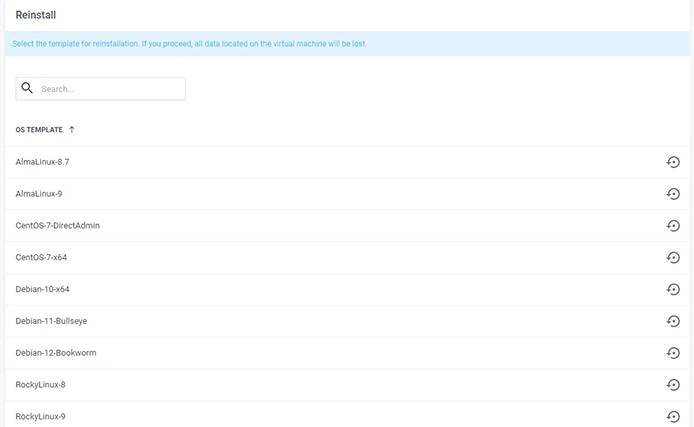
Cloud 360 provides more information about Windows-based environments in its VPS documentation and offers Windows on selected VPS product families. For example, the higher-capacity Cloud 360 VPS NVMe plans currently list CentOS, Ubuntu, Debian and Windows among available operating systems.
Cheap Does Not Mean Backups Are Optional
Backup is one of the most frequently underestimated components of a VPS deployment. RAID, distributed storage and snapshots can improve infrastructure resilience, but they should not automatically be treated as a complete backup strategy. Application errors, accidental file deletion, malware, database corruption and compromised credentials can still damage data.
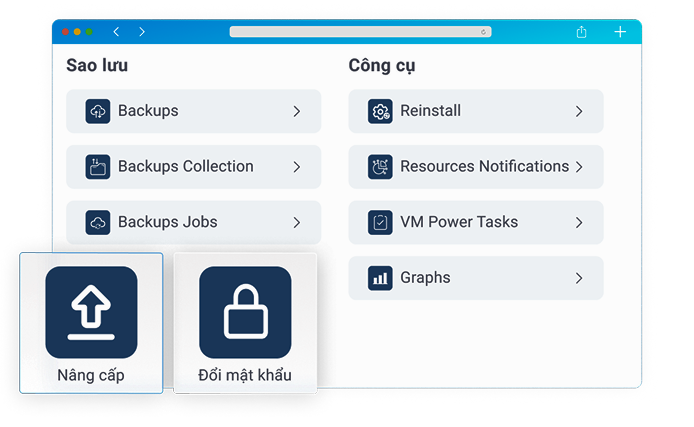
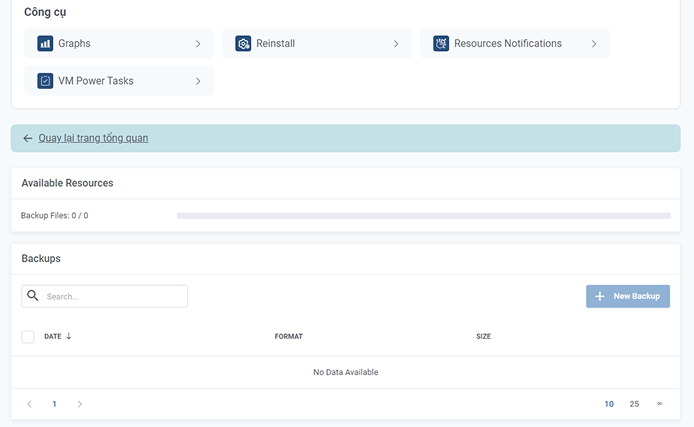
Cloud 360 states that automatic backups are included on applicable VPS services. The Cloud 360 VPS SSD platform is described as using NVMe SSD together with distributed CEPH storage, KVM virtualization and Cloud OpenStack. Cloud 360’s service information also lists automatic backup features for supported VPS configurations.
For important production systems, Cloud 360 recommends maintaining an additional backup strategy appropriate to the value of the data. The ideal design should consider backup frequency, retention, off-server copies and tested restoration procedures rather than merely verifying that a “backup” feature exists.
4. Minimum VPS Specifications to Consider in 2026
There is no single minimum VPS configuration that can guarantee smooth performance for every application. A highly optimized static website can run on minimal resources, while a poorly optimized WordPress installation with many plugins can exhaust several gigabytes of RAM. Windows applications, databases, game servers and container workloads all have different requirements.
Nevertheless, buyers can use several baseline recommendations when screening cheap VPS hosting plans in 2026. These should be treated as practical starting points rather than universal technical requirements.
CPU: Start With at Least 1 vCPU for Lightweight Workloads
One vCPU remains a reasonable starting point for a lightweight Linux server, development environment or small website. More demanding WordPress installations, WooCommerce stores, databases and applications handling concurrent requests should generally be evaluated with additional CPU capacity.
The number of vCPUs is only part of the equation. Processor generation, clock behavior and host-node utilization also affect performance. Cloud 360 publishes Intel Xeon Scalable Gold/Platinum processors for its VPS infrastructure, while the Cheap VPS platform uses KVM virtualization.
For production workloads, monitor actual CPU utilization after deployment. If CPU usage remains high for extended periods, application response times increase, or workload queues develop consistently, upgrading the VPS may be more effective than attempting to optimize indefinitely around insufficient compute capacity.
RAM: 1–2 GB for Lightweight Linux, More for Production Applications
A small Linux installation can operate with limited memory, but modern web stacks include the operating system, PHP or another runtime, web server, database, cache processes and monitoring tools. Each consumes RAM. For this reason, 1–2 GB should generally be viewed as an entry-level range rather than a comfortable specification for every WordPress website.
A small optimized WordPress site may operate in this range, while WooCommerce, larger databases, multiple websites or containerized services can require considerably more memory. Windows Server also generally needs more RAM headroom than a minimal Linux installation, particularly when graphical Remote Desktop sessions and additional business software are running simultaneously.
Cloud 360 currently structures its entry Cheap VPS lineup from 1 vCPU with 1 GB + 1 GB listed free on Basic 1, through 2 vCPU/3 GB RAM on Basic 2 and 3 vCPU/6 GB RAM on Basic 3. This gives customers several steps for matching memory capacity to the workload.
Storage: Prefer SSD and NVMe for Active Workloads
Storage performance influences database queries, application caching, log writes, file operations, software installation and backup processes. Traditional HDD storage can remain useful for inexpensive bulk storage and archival workloads, but active websites and modern applications generally benefit considerably from SSD-based infrastructure.
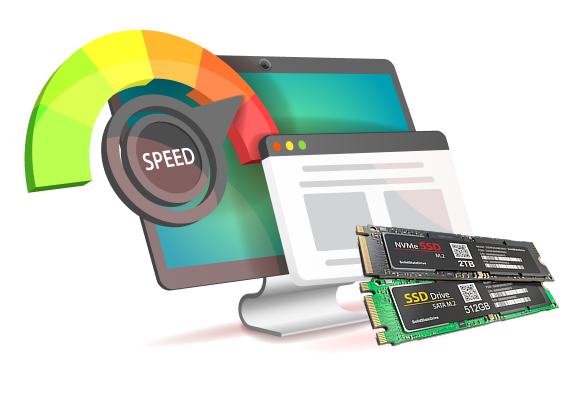
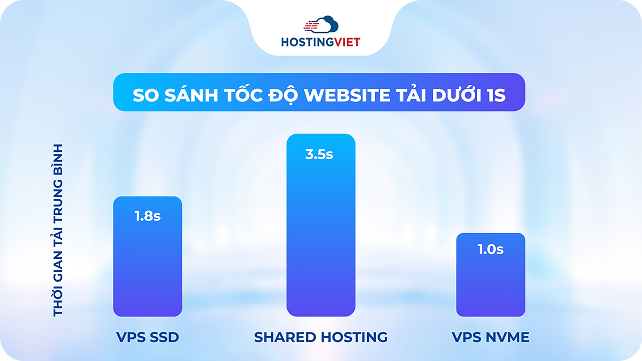
NVMe VPS hosting is especially relevant for workloads with frequent database operations or large numbers of simultaneous I/O requests. NVMe communicates through PCI Express rather than the older SATA interface commonly associated with traditional SSDs, allowing modern storage devices to achieve substantially higher throughput and lower latency under suitable workloads.
Cloud 360 uses NVMe storage across multiple VPS product families. The entry Cheap VPS packages list 20–60 GB NVMe depending on plan. The VPS Website range currently begins with a 2 vCPU, 4 GB RAM and 52 GB NVMe configuration, while the dedicated VPS NVMe range is designed for significantly larger workloads with configurations currently ranging from 24 to 40 vCPU, 128 to 256 GB RAM and 350 to 600 GB NVMe.
Storage capacity should also include growth headroom. Database data, uploaded images, logs, package caches and temporary files can consume more disk space than the original website source code. Buyers should therefore calculate both present usage and expected future growth before selecting the smallest available disk.
Network: Check Port Speed, Traffic Allowance and Routing
A server with powerful CPU and NVMe storage can still deliver poor user experience if network connectivity is not suitable for the application’s audience. When comparing a low-cost VPS, check the advertised port speed, monthly traffic policy, network filtering and target data-center location.
For example, Cloud 360 currently lists 150 Mbps Clean Traffic and unlimited bandwidth on the Cheap VPS configurations shown on its service page. OVHcloud’s international VPS portfolio currently uses different public bandwidth levels depending on the plan while publishing unlimited traffic on the displayed VPS range.
Neither number should be assessed in isolation. An ordinary WordPress website may never approach a high port-speed ceiling, while media distribution, file services or traffic-heavy APIs can have very different network requirements.
Virtualization: Look Beyond the Marketing Name
Buyers should identify which virtualization technology is used by a Cheap VPS provider. KVM is widely used because it allows each virtual machine to run its own operating-system environment while the hypervisor manages access to physical resources.
Cloud 360 currently publishes KVM virtualization together with OpenStack cloud technology for its Cheap VPS and high-capacity NVMe VPS lines. OpenStack provides infrastructure components for organizing compute, networking and storage resources in a cloud environment.
The virtualization platform alone does not guarantee performance, but it is an important part of evaluating the provider’s architecture. Buyers should combine this information with CPU allocation, storage design, network specifications, backup practices and real-world workload monitoring.
Cloud 360 VPS Options for Different Workloads
A useful Cheap VPS strategy is to choose a product family according to the workload instead of attempting to force every application onto the lowest-cost server. Cloud 360 currently provides several VPS categories ranging from entry-level virtual servers to high-capacity NVMe configurations.
The available service families differ substantially in CPU, RAM and storage capacity, so they should not be treated as interchangeable products. A small Linux lab does not need the same infrastructure as a large database or high-traffic business application.
Cloud 360 Cheap VPS for Entry-Level Workloads
The Cheap VPS range is the most relevant option for users primarily concerned with budget. The currently published Basic plans provide 1–3 vCPU, 1 GB + 1 GB listed free through 6 GB RAM, and 20–60 GB NVMe storage.
Cloud 360 positions these configurations for workloads ranging from blogs, landing pages and server-learning environments to business websites and applications requiring additional resources. KVM virtualization, OpenStack technology, static IPv4, NVMe storage, Clean Traffic and unlimited bandwidth are among the specifications currently published for the listed packages.
VPS SSD for Websites and Applications
The VPS SSD service is designed for workloads that require larger configurations and stronger storage performance. Cloud 360 describes the platform as combining NVMe SSD storage, distributed CEPH storage, KVM and Cloud OpenStack.
This type of configuration can be considered when a project has moved beyond the limits of an entry VPS and requires more memory, CPU resources or I/O capacity. As with any infrastructure upgrade, the decision should be based on monitoring data rather than simply choosing a more expensive server.
VPS Website for Production Web Workloads
The VPS Website line is specifically structured around website-oriented configurations. The currently published starting plan provides 2 vCPU, 4 GB RAM and 52 GB NVMe, with larger tiers increasing CPU, RAM and storage capacity.
The service page also publishes features including a static IPv4 address, DDoS protection and automatic backup functionality for the listed packages. This range can therefore be evaluated by businesses running WordPress, company websites or online stores that require more resources than a minimal entry server.
Cloud 360 VPS NVMe for High-Capacity Workloads
The VPS NVMe product family belongs to a very different performance class. At the time of writing, Cloud 360 publishes configurations ranging from 24 vCPU and 128 GB RAM to 40 vCPU and 256 GB RAM, with NVMe capacity from 350 GB to 600 GB.
The published service specifications also include KVM, OpenStack, one static IPv4 address, 150 Mbps Clean Traffic, unlimited bandwidth, 10 Gbps DDoS protection, supported operating systems including Linux distributions and Windows, and a published uptime target of 99.99%.
This range should not be compared directly with a USD 3 entry VPS. It is intended for workloads requiring substantially greater compute, memory and storage capacity. The comparison demonstrates why the keyword Cheap VPS must always be interpreted in relation to the requirements of the application rather than as a single global product category.
Conclusion
Cheap VPS hosting in 2026 covers a broad spectrum. Ultra-budget instances costing only a few dollars per month can be useful for labs, scripts and lightweight projects. Mainstream budget VPS services offer more practical resources for websites and development workloads, while occasional annual promotions can reduce costs even further for non-critical projects.
The lowest advertised price should never be the only selection criterion. Server location affects latency; RAM and CPU determine workload capacity; NVMe or SSD storage influences I/O performance; network policies affect data transfer; and the support model determines how much technical responsibility remains with the customer. Windows licensing, backup architecture and the realities of shared physical infrastructure should also be understood before deployment.
For customers evaluating VPS services in Vietnam, Cloud 360 currently offers several options for different resource requirements. The Cheap VPS range provides entry-level configurations with NVMe storage, while VPS SSD, VPS Website and VPS NVMe provide progressively different resource profiles for larger websites, applications and high-capacity workloads.
Ultimately, the best Cheap VPS is not necessarily the server with the lowest monthly bill. It is the VPS that provides sufficient CPU, RAM, storage performance, network capacity, backup protection and technical support for the workload without paying for resources that the application does not need. By comparing those factors systematically, users can reduce infrastructure costs while maintaining a server environment appropriate for long-term operation.